In a couple of weeks we will release a new version of the Nfield CAPI client app that will change the way permissions are asked by the app. This change may require you to take some precautionary measures in order to avoid problems in field.
Nfield CAPI client app permissions – what will change?
The Nfield CAPI client app has to target a newer version of the Android Platform API. This is a requirement from Google. As a consequence, the way consent is given to the app changes (e.g. can the app use the camera, can the app get GPS coordinates using the device hardware, etc.).
Currently, when you install the app on your device, the device will show you the following screen (or something similar):
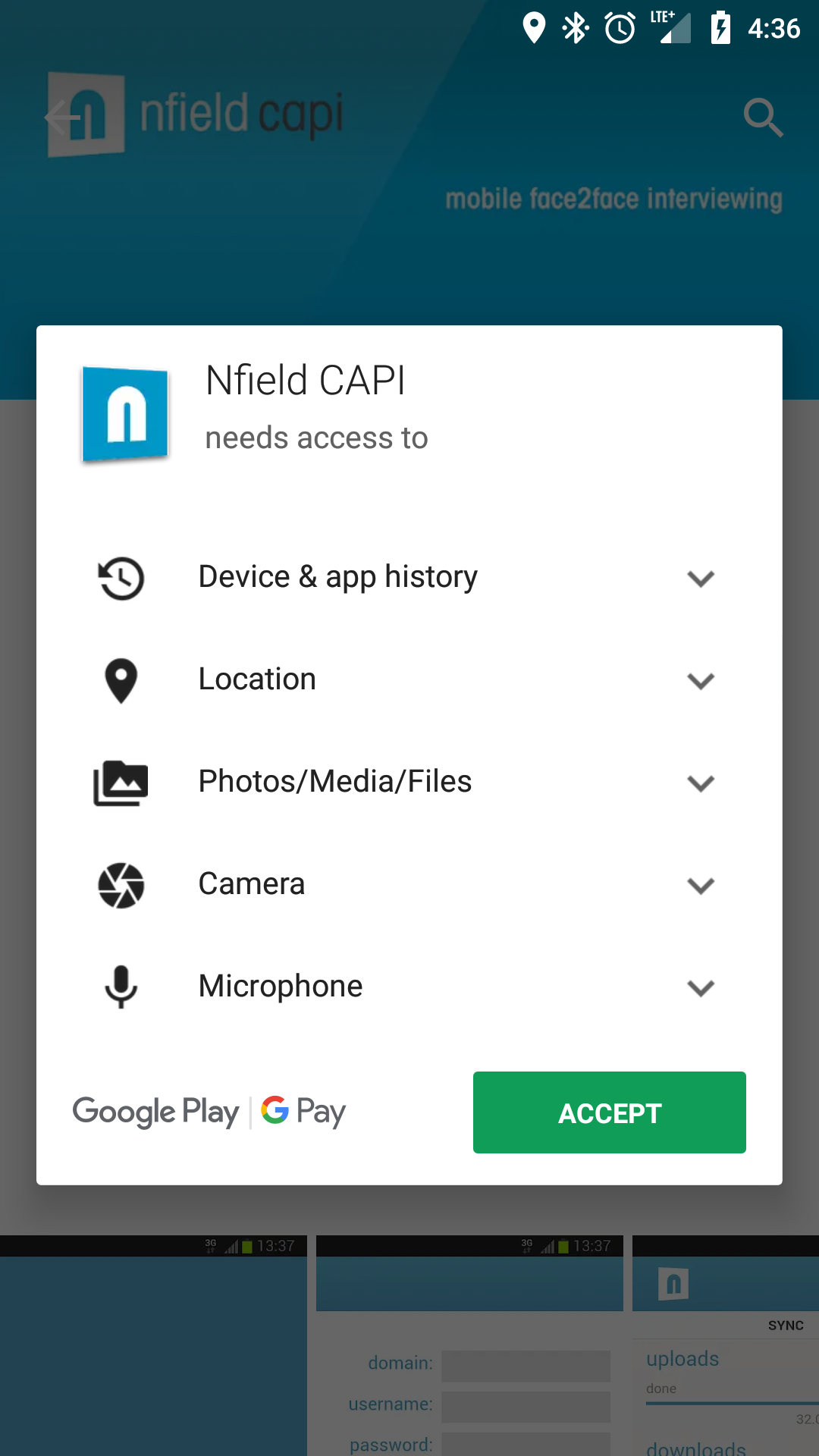
With the new version of the Nfield CAPI client, this will no longer be the case. Instead, the app will ask for permissions when you start the app for the first time, as in the following screen:
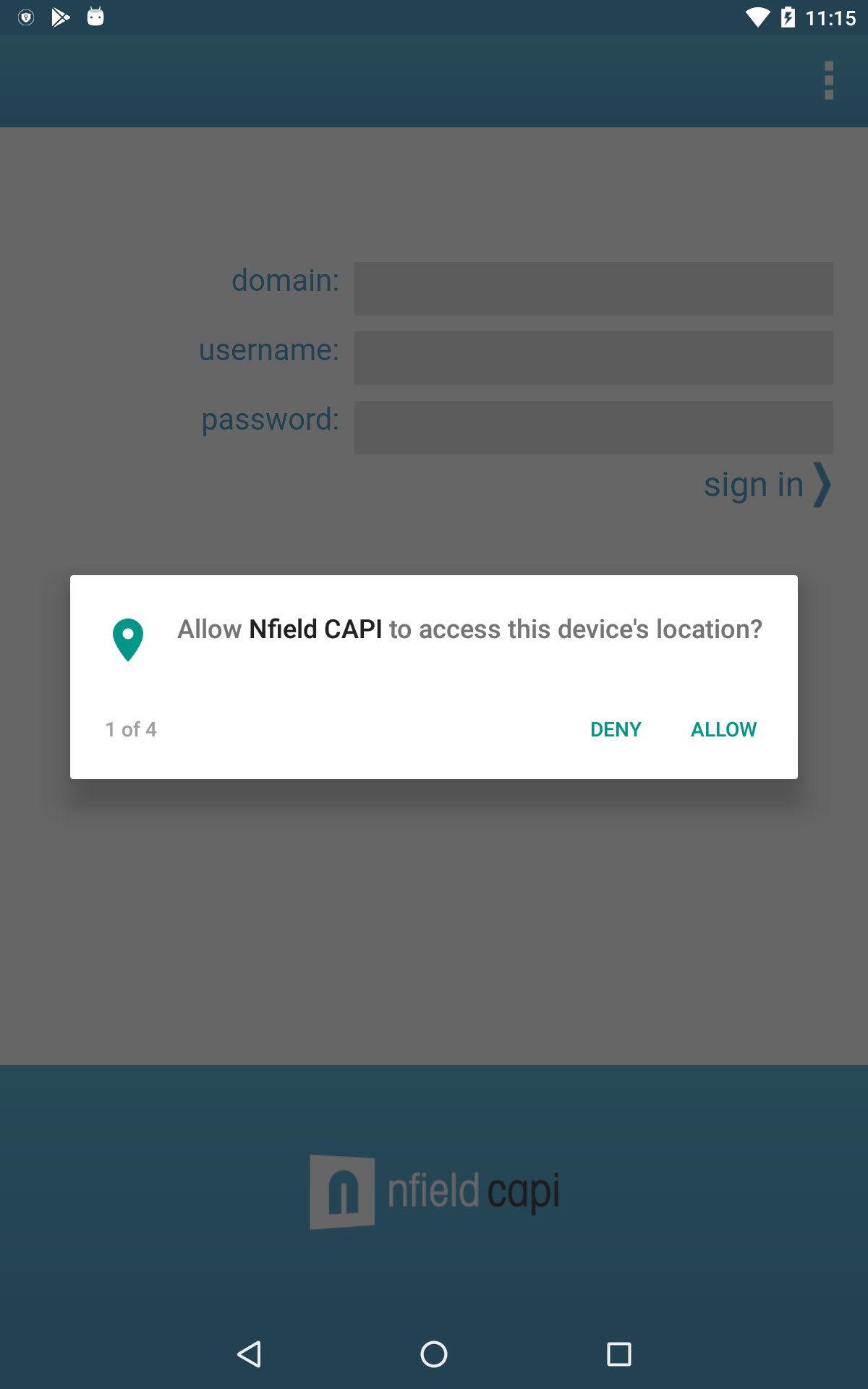
Once a specific permission has been granted, the app will not ask for it again.
What’s the importance of this change?
You probably don’t want your interviewers to be confronted with these consent screens when they are about to start an interview. Our advice would therefore be to start the app at least once after it is installed.
When you are using company-owned devices for Nfield CAPI fieldwork, it is likely that you already start the app before handing out the device, if only to log in to set the device id.
If your interviewers are using their own devices for Nfield CAPI fieldwork, you may want to inform them of this change.
What devices are affected?
This change applies only to newly installed apps. If you update an Nfield CAPI client app that was already installed on the device, the permissions have already been asked when the app was first installed. This change applies only to devices that run Android 6.0 or higher.
Why was this changed?
Google Play requires that from August 1 2018 newly installed apps target the latest Android API (8.0 level 26), and from November 1, 2018 updates to already installed apps also need to target the latest Android API. This change in target API level enforces the change in the way consent is asked.
The rationale of this change is to have apps ask for permissions at the latest possible moment. Instead of asking all permissions at install time, an app should ask for permissions when it is first started or even later, when the app first uses a feature. Since best practice is that you don’t confront the interviewer with these consent screens in the middle of an interview, that last scenario hasn’t been implemented and instead, we ask consent the moment the app is started.
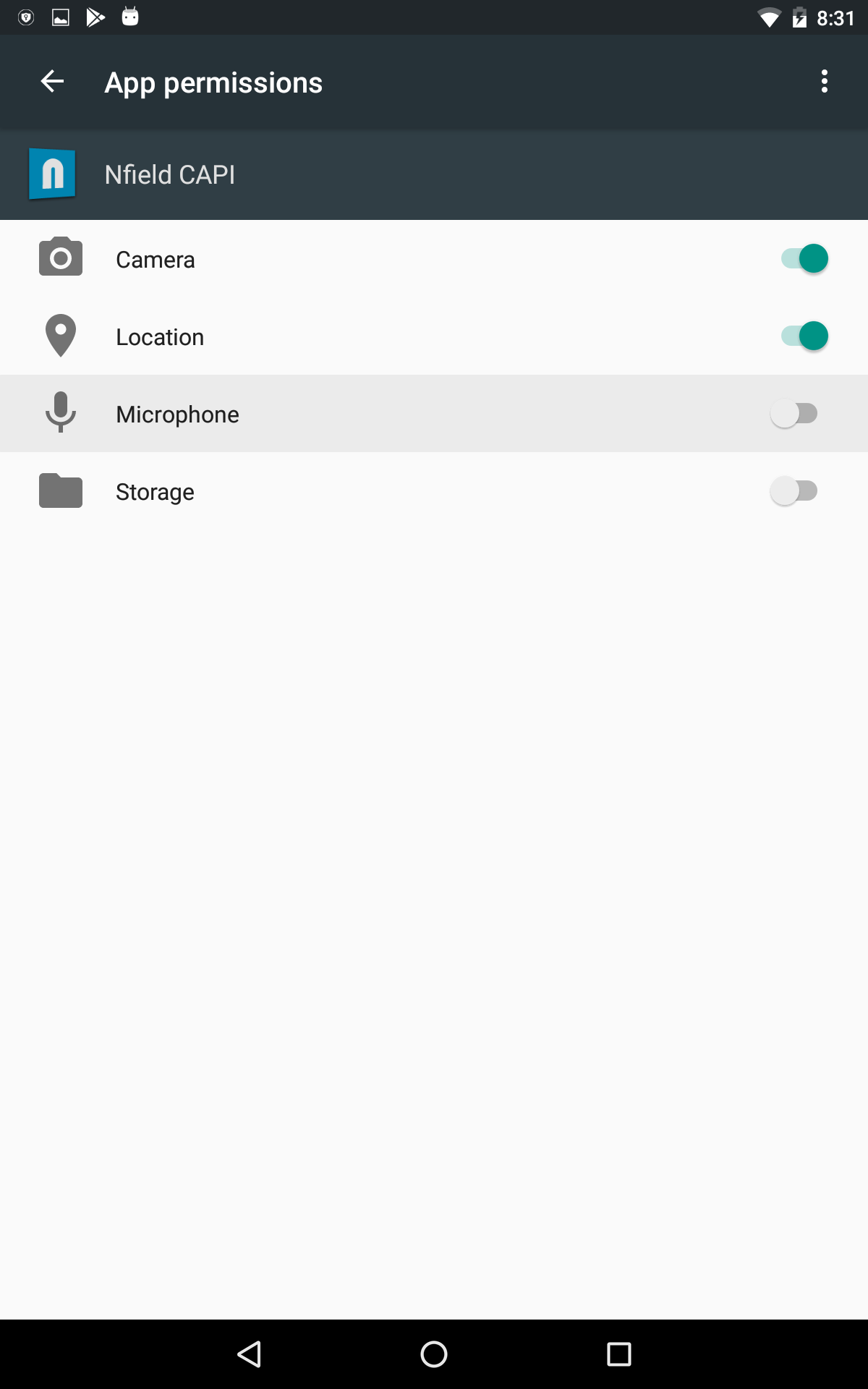
Notice that instead of giving consent after starting the app, app permissions can also be configured directly in the Android settings, as in the following screen:
As always, please share this information with all relevant people in your organization.
Kind regards,